

Navigating your CPD portfolio

Need help finding your way around the CPD portfolio? This article provides answers to commonly asked questions.
Pending activities
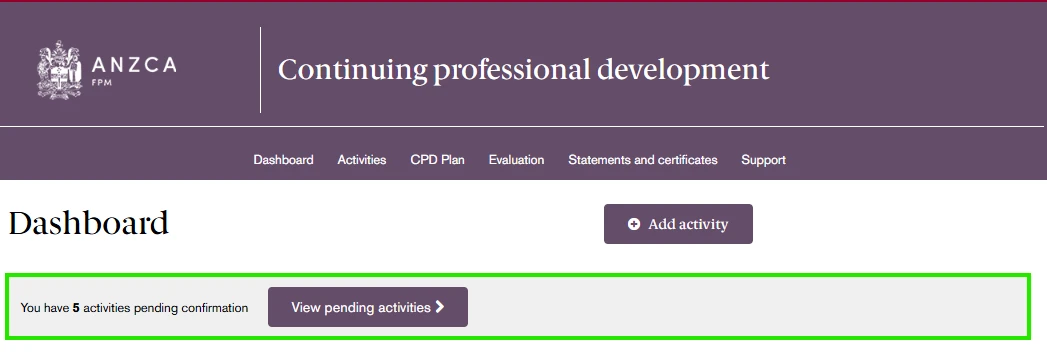
If you have attended an ANZCA event, completed a Learn@ANZCA online course, or completed any WBAs, these activities should appear in pending activities awaiting your confirmation.
You can view and confirm your pending activities by logging in to your CPD portfolio and navigating to the Dashboard.
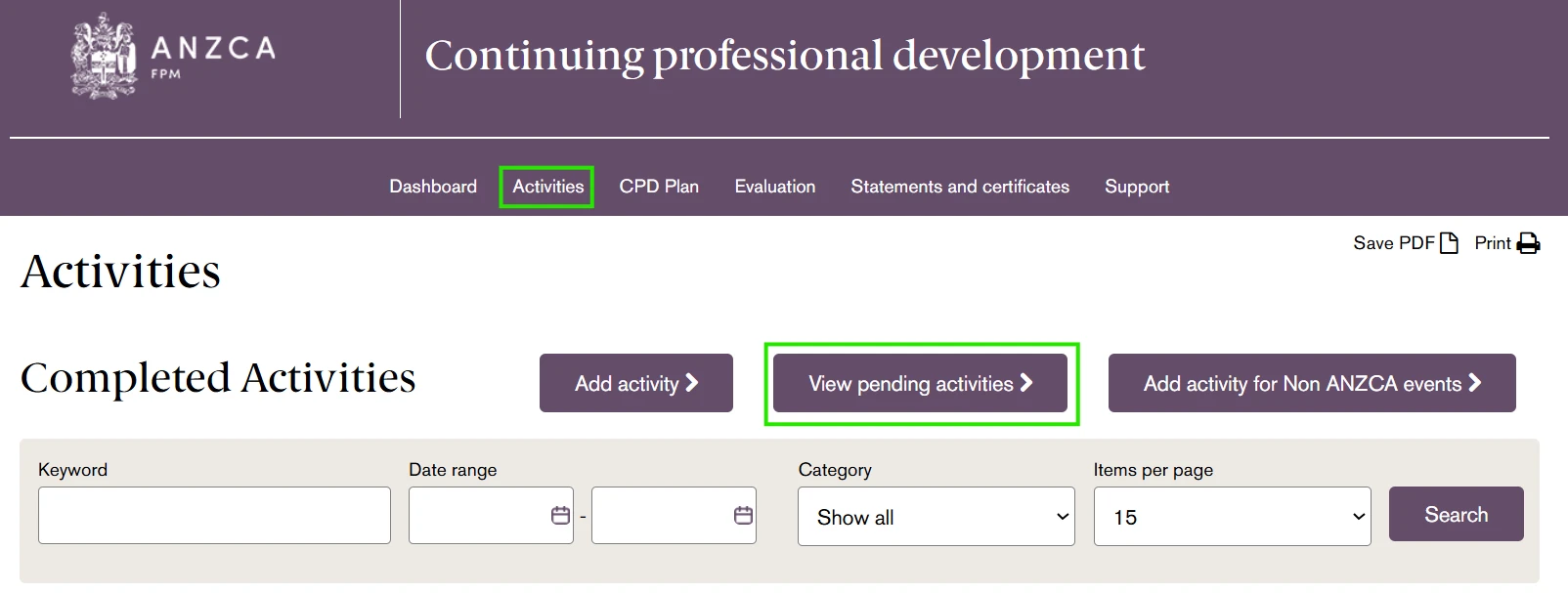
Alternatively, you can access your pending activities by selecting Activities and then clicking View pending activities.
CPD plan
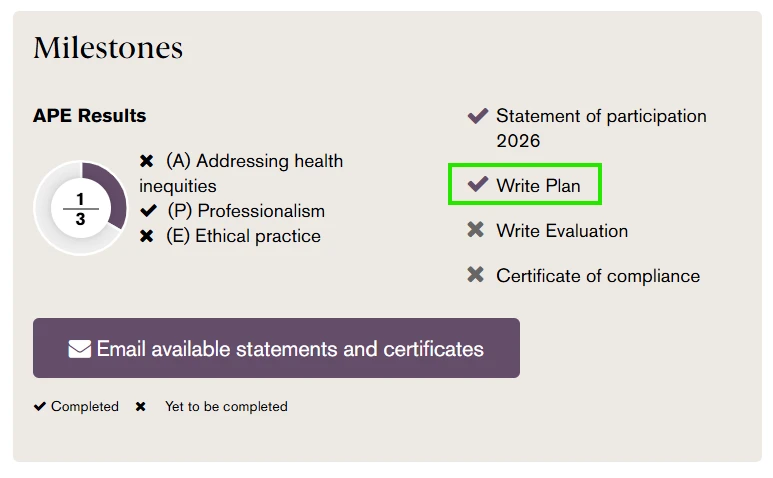
Have you completed your CPD plan? If so, a tick will appear against the requirement in the Milestones section of your CPD portfolio.
Cultural safety
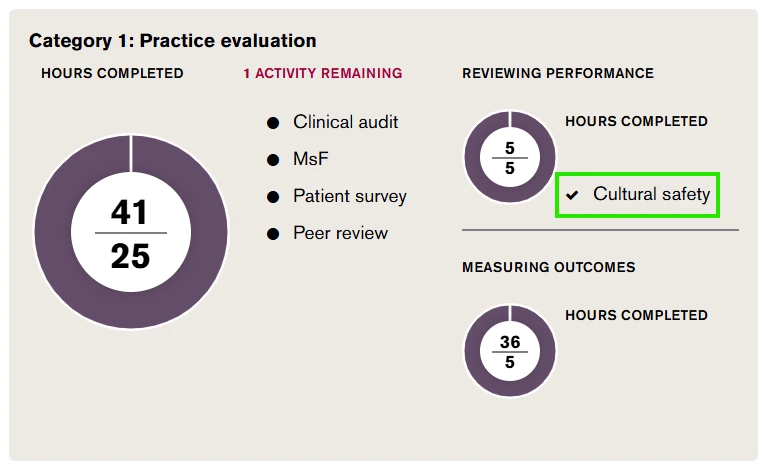
You are required to complete one cultural safety activity each year. Once this requirement has been completed, it will be marked with a tick in your CPD portfolio.*
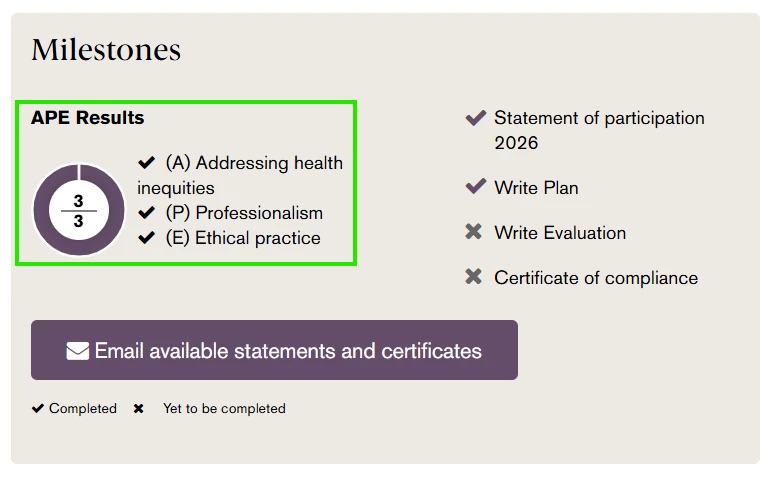
Addressing health inequities, Professionalism and Ethical practice (A, P and E)
You are required to record at least one CPD activity in each of these domains each year. Once you have met this requirement, it will be indicated with a tick in your CPD portfolio.*
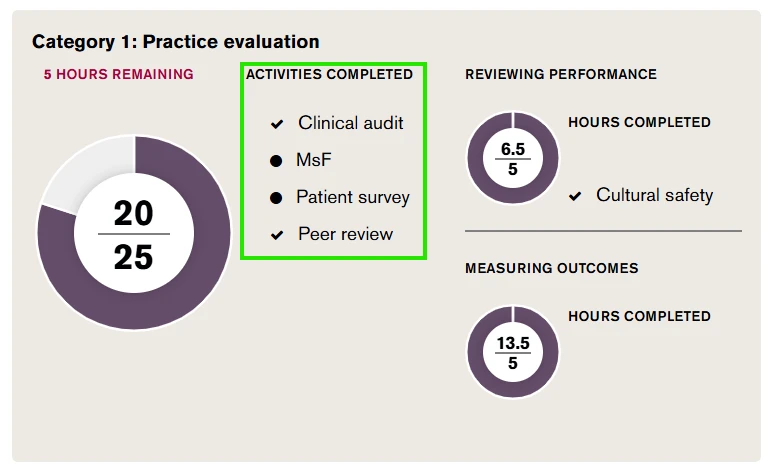
Mandatory practice evaluation activity
You are required to complete one mandatory practice evaluation activity each year (unless you are practicing without direct patient care). Eligible activities are a clinical audit, multisource feedback (MSF), patient survey, or peer review.
Once you have met this requirement, a tick will appear next to the completed activity in your CPD portfolio.*
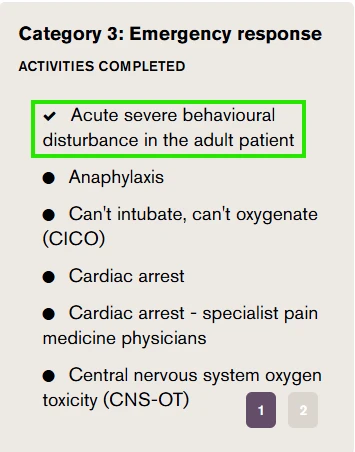
Emergency response
You are required to complete one emergency response activity each year. Once you have met this requirement, a tick will appear next to the completed activity in your CPD portfolio.*
How can I confirm that I have met all CPD requirements?
If you have met all your CPD requirements and have not been selected for audit, a tick will appear next to Certificate of compliance in the Milestones section of your CPD portfolio.
If you have been selected for audit, your Certificate of compliance will become available once your audit has been finalised.
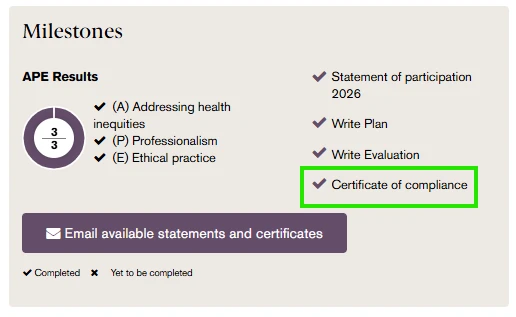
You can then download your Certificate of compliance either by clicking Email available statements and certificates or by accessing the Statements and certificates tab within your CPD portfolio.
*If you have been granted a CPD variation or exemption, the variation or exemption requirement will not display a tick in your CPD portfolio. However, you will still be able to download a certificate of compliance once all other outstanding requirements have been met.


Last modified: